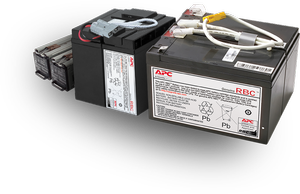
2007-05-08 13:22:20При подключении батареи типа SU24R2XLBP к ИБП АРС Smart-UPS XL 1400 VA RM 3U, ИБП ее не видит. Требуется ПО для инсталляции. Какое, и где его взять?
TimH
Участник
Тем: 6 Сообщений: 1410 На форуме с 14/05/02
2007-05-08 16:18:46
----ИБП ее не видит ------
ИБП не связан сигнальными проводами(!) с внешими батареями .Указать количество внешних батарей через PCBE,PowerChute plus,HyperTerminal
или battpack.exe Ваша задача .
ps а свою задачу (ибп) -отработать дольше первые разы выполнит Еще в прошлом году был на сайте производителя "Answer ID
63 "как указать через HyperTerminal
------------------------------ ДЛЯ WINDOWS
Smart-UPS XL models are not designed with communication modules to the external
battery packs. It is important to follow these instructions. The number of
batteries effects the runtime calculations which a Smart-UPS performs when it
is running on battery power.
There are three ways program the Smart-UPS XL to recognize the appropriate
number of external batteries.
1. Using Hyperterminal or Terminal Program to change the number of
external battery packs
Hyperterminal:
HyperTerminal is used for Windows 95, Windows 98, Windows NT 4.0, Windows 2000, Windows XP, and Windows 2003
To adjust the number of battery packs via a Hyperterminal session:
1. First, EXIT out of the PowerChute plus Server. In the case of Windows NT,
the UPS service must be stopped.
2. From the Desktop, go to: Start |Programs | Accessories | HyperTerminal.
Double-click on the HyperTerminal icon.
3. You will next be asked to choose a name and select an icon. Give it any
name and then click OK. If a message appears which reads "...must install a
modem," disregard it and continue.
4. The port settings are 2400 baud, 8 data bits, 1 stop bit, no parity, flow
control is Xon/Xoff.
5. Click on Advanced and ensure the box labeled FIFO buffer is NOT checked.
6. Click OK twice.
**Please note that if you have the scroll lock on, Hyper-Terminal may not communicate properly with an APC UPS or
accessory.
Once the terminal/hyperterminal window is open, follow these steps:
a. Type "Shift-Y"which should produce an 'SM'
b. Type ">" To see the number of external packs. (A new unit will display
'000.')
c. Type "+" Adds a battery pack
d. Type ">" To see the change in number of external battery packs
e. Type "-" Subtracts a battery pack
f. Type ">" To see the change in number of external battery packs
Только зарегистрированные пользователи могут оставлять сообщения. Войдите под своим логином и паролем или Зарегистрируйтесь.

 Russian Federation
[ выбрать ]
Russian Federation
[ выбрать ]